Real-time connectivity monitoring
TrueSignal measures your actual connection.
Not what your device thinks it is.
$0.99 / month · Free to try · Cancel anytime
Why TrueSignal
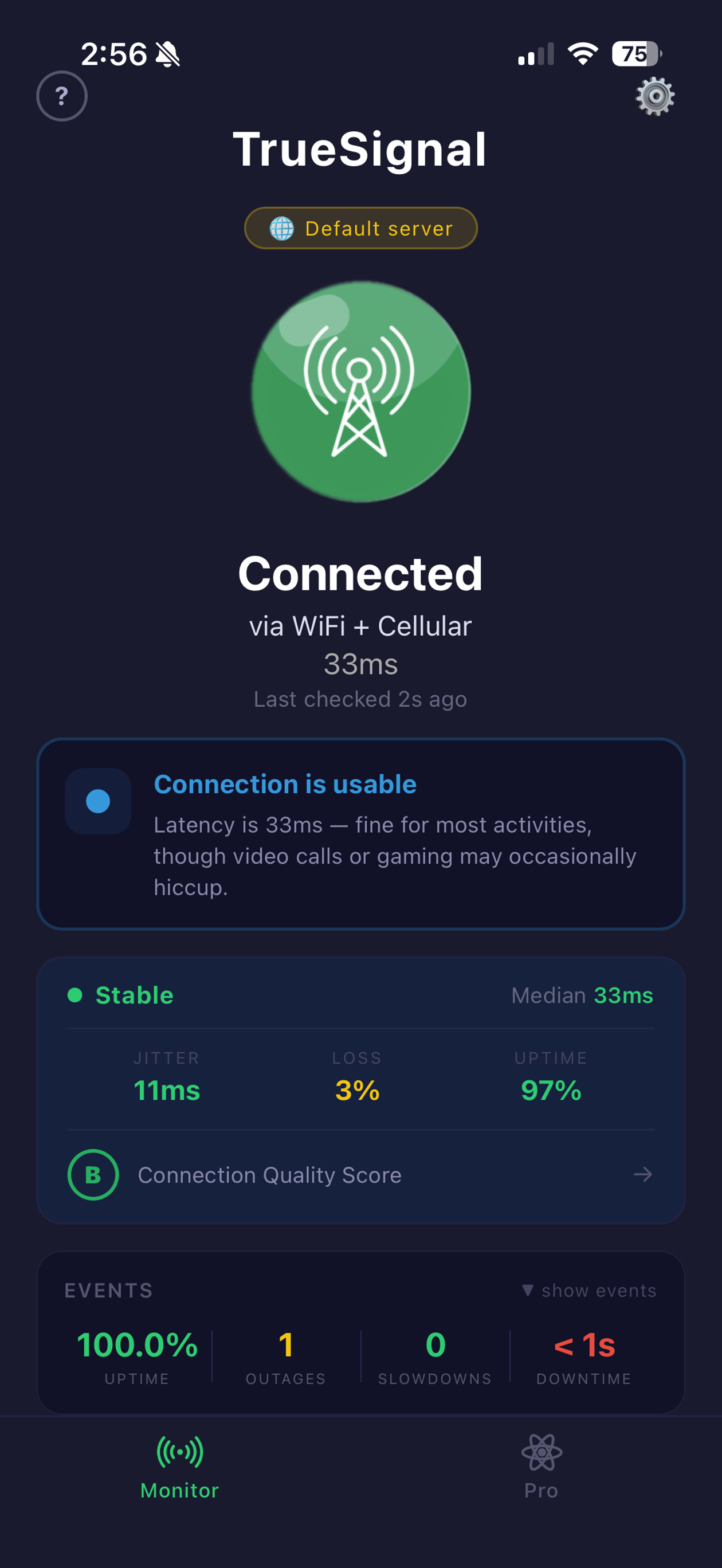
Uses live pings to measure real-world latency — not signal strength bars which can be completely misleading.
Green, yellow, or red. Know your connection state at a glance without reading numbers or decoding icons.
See min, max, average latency and uptime percentage over the last 24 hours. Spot patterns in your connection.
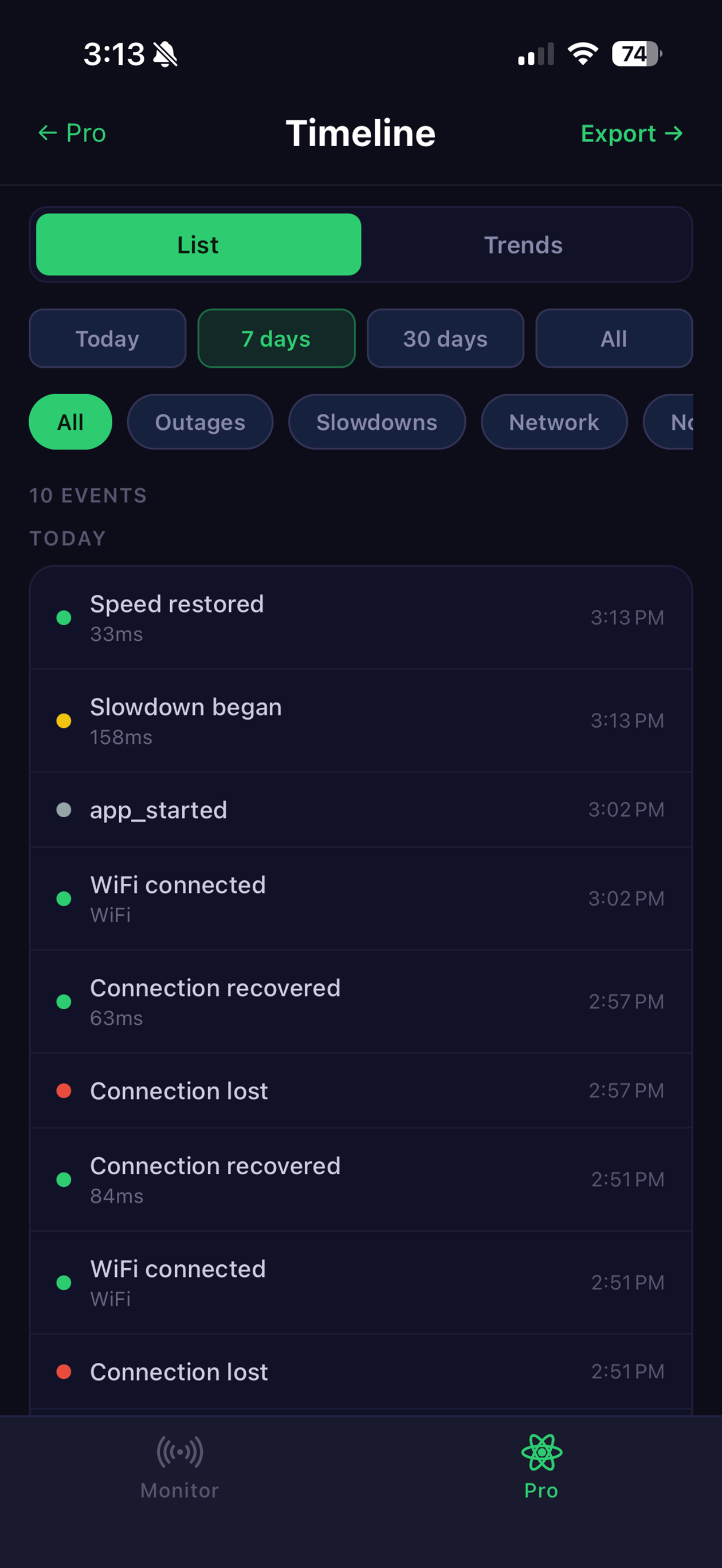
Get notified the moment your connection drops or slows down — and when it recovers. Stay informed without watching.
Lives quietly in your system tray or home screen widget. Always visible, never in the way.
Check every 2, 4, 10, or 30 seconds. Balance battery life against how quickly you need to know.
Photographed at the Chornobyl Exclusion Zone — one of the most iconic antenna structures on Earth. Four bars. Slow connection. TrueSignal doesn't lie.
How it works
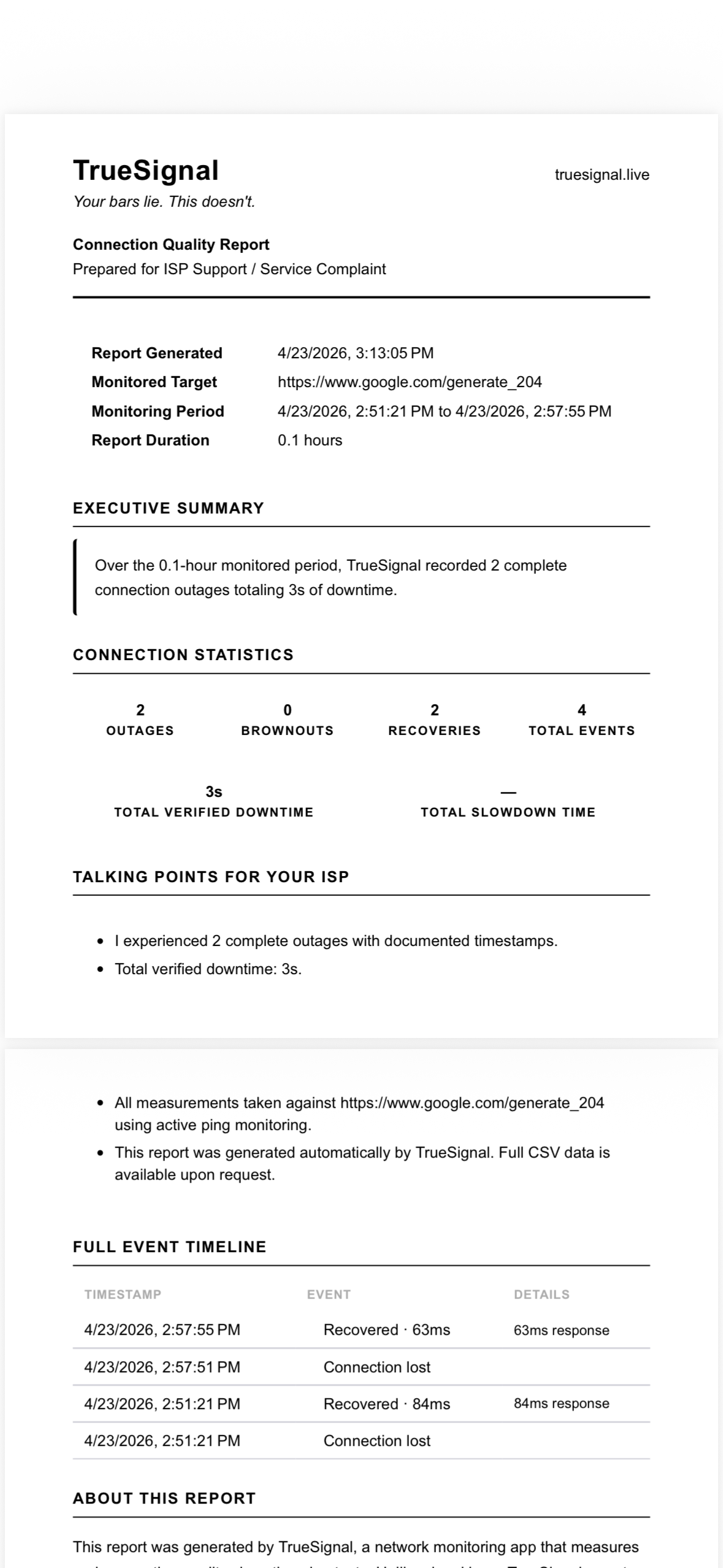
TrueSignal pings a reliable server every few seconds and measures the round-trip time. Under 150ms is green. Under 500ms is yellow. Anything else is red. No algorithms, no guessing — just the truth.
The 24-hour range graph shows you the shape of your connection over time — so you can tell your ISP exactly when and how bad it gets.
Download on App StorePlatforms
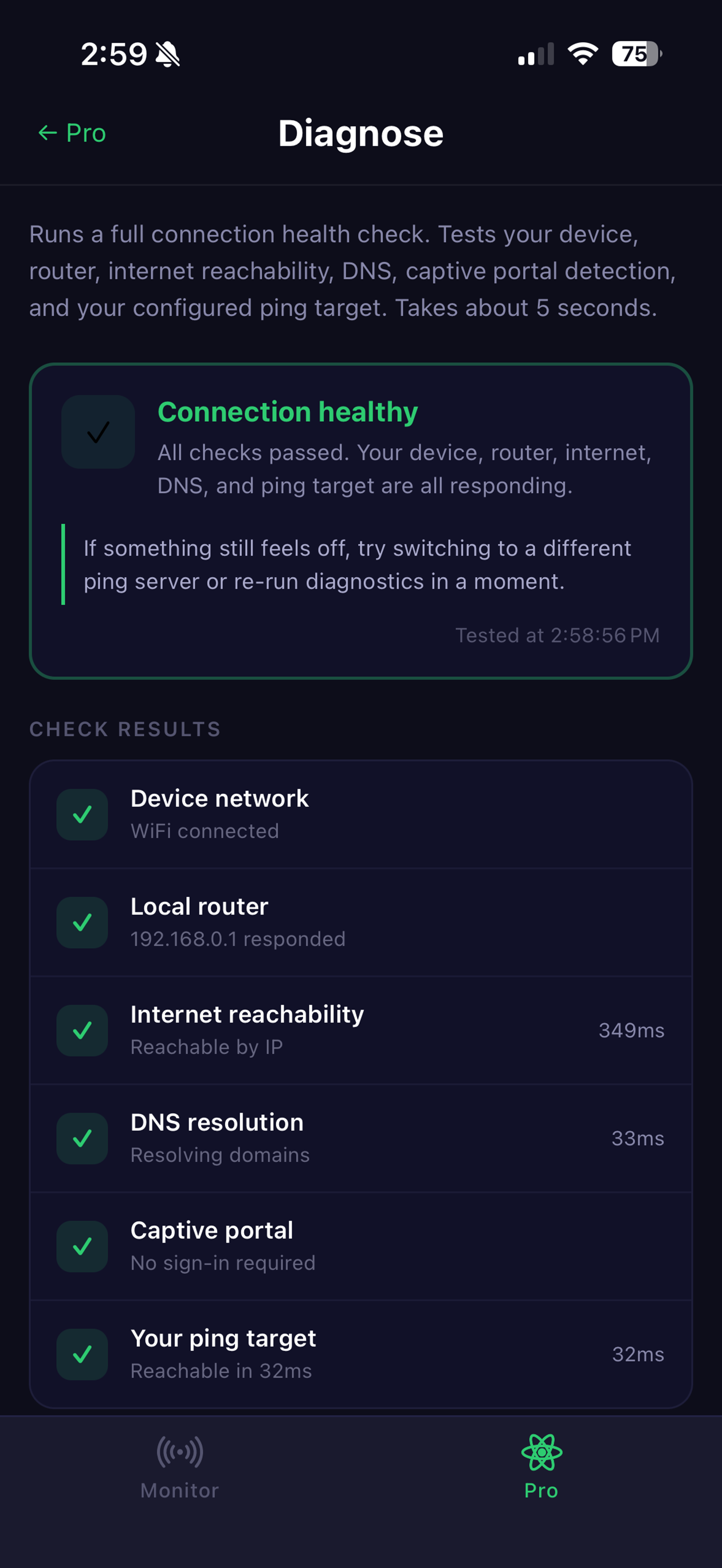
Native iPhone and iPad app with home screen widget, Pro diagnostics, SignalFinder, Walk Test, and Smart Alerts.
Available NowAndroid app with home screen widget, WiFi and cellular detection, Pro features, and connection type display.
Coming SoonFull desktop app with system tray icon, 24-hour history, desktop notifications, and launch on startup.
Coming SoonPricing
per month · cancel anytime
Independent developer and technologist. TrueSignal was built out of frustration with misleading signal bars — I couldn't find a tool to tell me the truth, so I built it.