Bad Bars in Blacksburg
An accidental field test of TrueSignal at my daughter's graduation.
Or: what happens when you bring a network diagnostic app to your daughter’s college graduation. (Yes, I’m that guy.)
This past Friday, my daughter graduated from Virginia Tech. Go Hokies!
(Bear with me. I’m beaming.)
The commencement was at Lane Stadium. Beautiful morning. Maroon and orange everywhere. They played Enter Sandman. And the cell connection inside the stadium was…absolutely awful.
That’s not a complaint. It’s an observation. And for me, it was a chance to test out TrueSignal!
I could connect in a few places, but most of the stadium had nothing. Texts wouldn’t send. Photos wouldn’t upload. Group chats with the rest of the family sat there spinning. And this was BEFORE the stadium had really filled up. My wife, who’s been to plenty of games at Lane, just shrugged: “Oh yeah, phone service here is always bad.”
Reader…I think you can guess what I did next.
“Wait, you used your app at your daughter’s graduation?”
Of course I did. Of course I did.
What I didn’t expect was how useful it would actually be, in ways the app wasn’t quite designed for. Three features, three accidental field tests. Let me walk you through them.
1. Ping Test on the Monitor screen (free for everybody)
The first thing I pulled up was the Monitor screen. Ping Test is the free tool every TrueSignal user gets the moment they install. It’s literally just showing you, in real time, whether your phone is actually moving data right now. Green ping bars when things are good. Yellow when latency creeps up. Red when packets aren’t coming back at all.
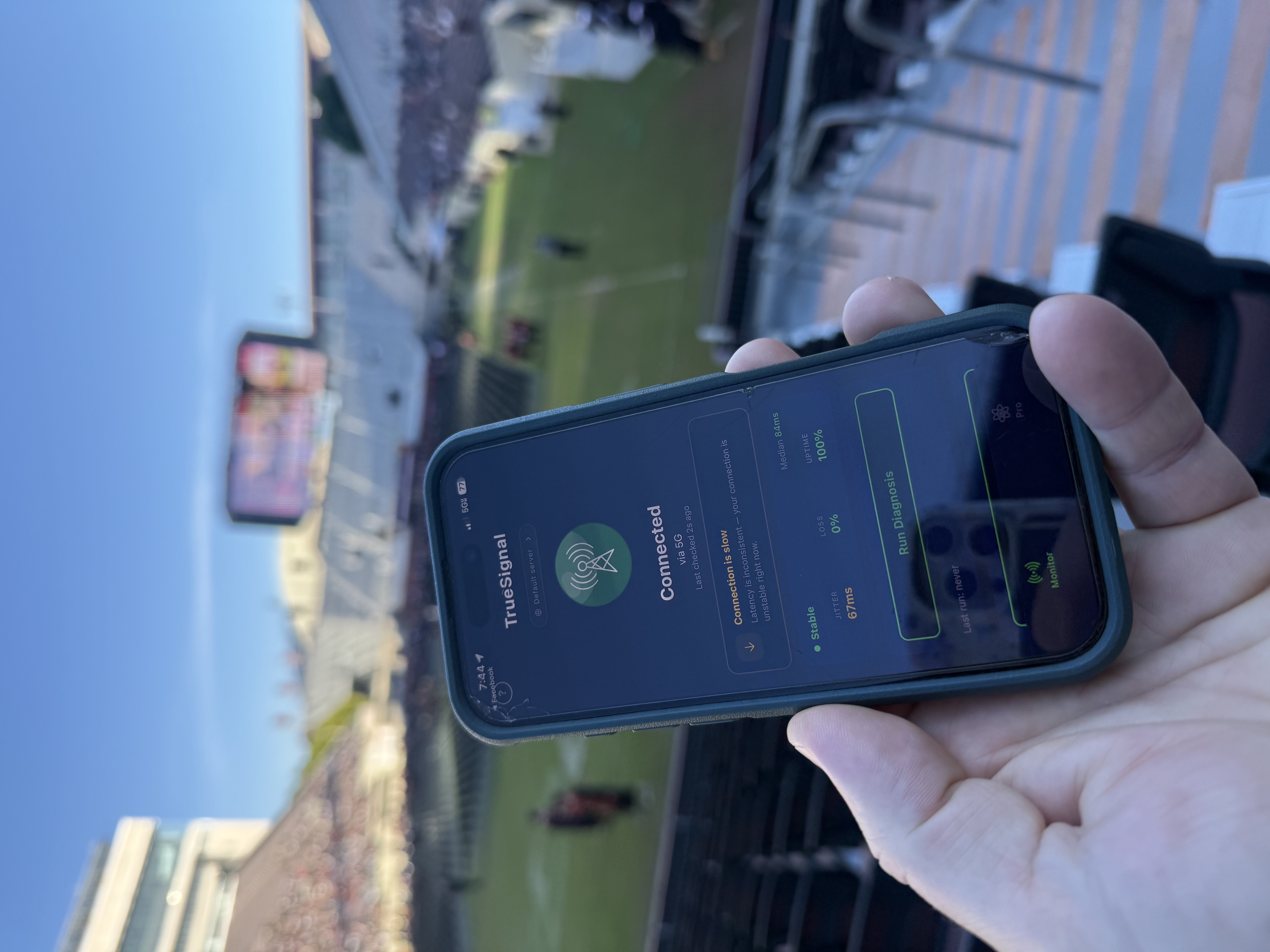
At my seat: lots of yellow. Some red. Lots of red. The screenshot above is from one of the better moments. 5G with full bars at the top of the phone. 100% uptime. 0% loss. And TrueSignal still flagged it: “Connection is slow.” Median 84ms latency, jitter 67ms. Translation? Data was technically moving, but bouncing around so much that anything real-time, like FaceTime, a stream, even some text messages, was going to feel terrible.
The bars at the top of my phone? Three out of four, full 5G, the entire time. They had no idea anything was wrong. (They never do…if you haven’t figured that out yet!)
So I started walking around. A few rows up: red. Down the aisle a bit: red. Around the corner of the section: yellow, mostly. Then finally…green. One specific spot, maybe four feet from where I’d been standing, where my phone could actually do useful work. Without Ping Test telling me what was real, I’d have stood in the wrong four feet of stadium for the entire ceremony.
2. Walk Test (Pro feature, completely repurposed)
It was freezing. Blacksburg in May at dawn is not warm (apparently the mountains didn’t get the memo about it being almost summer). So I decided to walk back into the stadium concourse to warm up. And since I was walking anyway…might as well fire up Walk Test.
Walk Test isn’t really designed for this. It’s a Pro feature, originally built for “walk around the house with your phone and find the dead spots.” Not “walk through a 65,000-seat football stadium with a tunnel in the middle of it.”
But it worked perfectly. I went from my section (decent-ish), through an interior corridor (nothing), through a literal concrete tunnel (definitely nothing), and back out to the concourse on the exterior side (connection returned). The data captured the entire journey. I could see exactly where the dropouts started and ended. RF physics doesn’t care whether you’re in a 1,200-square-foot apartment or a college football stadium…concrete is concrete, line-of-sight is line-of-sight, and Walk Test reports what it sees either way.
That feature was built for one thing. Turns out the same physics apply at any scale.
3. Capture Session (the headliner gets a workout)
By the time I got back to my seat, the ceremony was starting. And my connection was doing this thing where it would be fine for thirty seconds, then drop for ten, then come back. Over and over. Going in and out, in and out, in and out.
This is exactly the moment Capture Session was built for. So I hit Start.
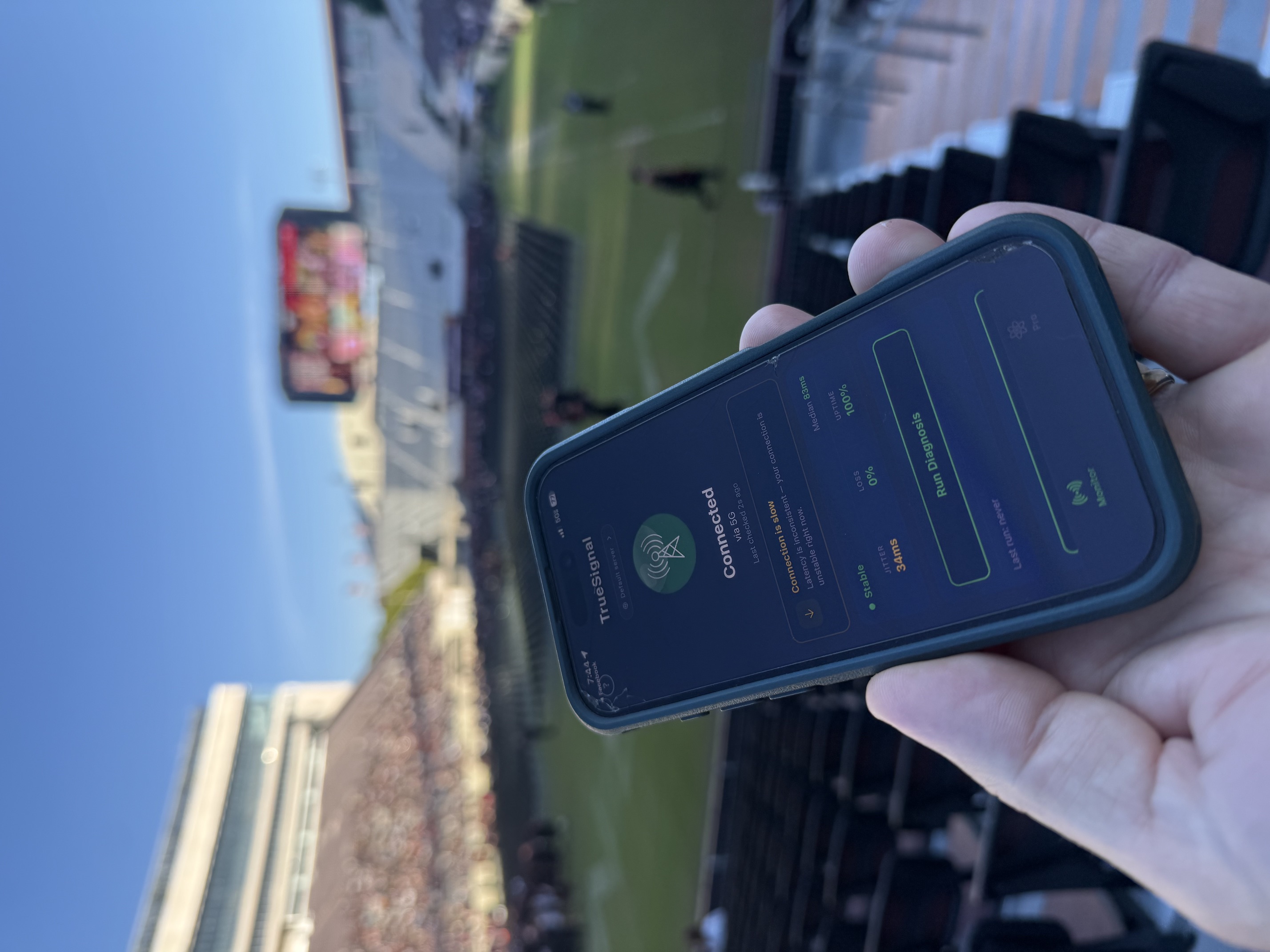
The two screenshots in this post were taken about a minute apart from the same seat. First one: jitter 67ms. Second one: jitter 34ms. Same location. Same phone. Same carrier. Same “5G full bars.” That’s what “going in and out” looks like in actual numbers…and it’s exactly the kind of thing the bars at the top of your phone will never, ever show you.
For about ten minutes I just let Capture Session run, watching the candlestick chart scroll right to left like a stock ticker. Green candles when latency improved compared to the previous bucket. Red when it got worse. And the pattern was fascinating:
- When I was sitting: worse. (Lower antenna height. More bodies between me and the nearest tower.)
- When I stood up for parts of the ceremony: better.
- When the section around me was all on their phones taking photos of the graduates walking: much worse.
- When everyone put their phones down to actually watch: noticeably better.
You can see contention happening, in real time, on the chart. The tower has finite capacity. Tens of thousands of people pulling on it simultaneously is going to degrade everyone’s experience, even when “the network” is technically up and the bars at the top of every phone look fine. That’s not the network failing. That’s the network being asked to do more than it was built for.
I wasn’t trying to file an ISP complaint. I wasn’t building evidence for anything. I was just curious. And the chart told me more about what was happening at Lane Stadium that morning than any speed test ever would have.
So what?
Here’s the thing. None of this fixed anything. I still couldn’t get a text out from my seat. The connection in the stadium is what it is, and one curious dad with an app didn’t change that.
But, and this is the part I keep coming back to: without TrueSignal, I would have been guessing. “Is it me? Is it the network? Is it the crowd? Is my phone broken? Did I forget to pay my bill??” The bars at the top of the phone are useless for any of those questions. They tell you about radio strength. They don’t tell you whether anything is actually getting through.
With TrueSignal, I knew. I knew when I had a usable connection (rare). I knew where the dead zones were (most of the stadium, honestly). I knew the crowd was making things measurably worse. I knew that whether I was standing or sitting actually mattered.
I know not everyone is as much of a “connection nerd” as I am. Most people, correctly, watched their daughter or son or friend graduate without opening a single app. That’s how it should be. The point of TrueSignal isn’t to turn everyone into a nerd. The point is that when you do want to know what’s going on…when your call drops in the middle of something important, or your stream freezes during the touchdown, or your texts just…won’t…send…the answer is right there. No guessing.
My daughter graduated. The new graduates sang Enter Sandman and threw their hats in the air. I came home with some terrible photos that took twenty minutes to upload from the hotel later that night…and a small, weird data set that says, with confidence, Lane Stadium has a cellular capacity problem worth solving.
Maybe next season.
Go Hokies. And the next time your phone shows full bars but nothing seems to work…believe the app, not the bars.
Dave